Box Labeling and Barcode Systems for Faster Pack-Outs
Quick answers
- What's the best label format for contents boxes? Most contents operations do best with a single label showing a large printed box number next to a QR code, giving you both a fast phone scan and a human-readable fallback.
- What's the difference between a QR code and a barcode for contents? A QR code scans with any phone camera and can hold a full record link, while a traditional barcode needs dedicated scanner hardware and carries less data but scans very fast at high volume.
- Should a box number include the room it came from? No — room should live in the item record, not the box number, because items can shift between boxes as you pack, and a room-coded number would then be wrong.
- How should contents box numbers be structured? A clean pattern ties the box number to the job plus a sequential number, like "J-1042 / Box 047," so a stray box always identifies which job it belongs to.
- Do you need a barcode scanner to run a clean pack-out? No — plenty of contents operations run entirely on phone-scanned QR labels; scanner hardware is only worth adding if warehouse volume genuinely demands it.
Every contents crew has a horror story. The customer calls three months into a job asking where Grandma's china is, and you're standing in a warehouse with 240 boxes and a binder that doesn't match the shelves. Half the labels are a Sharpie scrawl that says "kitchen misc," and the box you need is somewhere in a stack you can't reach without a forklift.
Pack-outs don't go sideways at the loss site. They go sideways in the gap between what you boxed and what your system says you boxed. Labeling is the thing that closes that gap. Done right, a label is the physical handle for a digital record, and every box can be reconciled, located, and returned without a treasure hunt.
This is how to set up a labeling system that actually holds up across the whole job, from the first box at the house to the last item back on the customer's shelf.
Why labeling is really an inventory problem
A label by itself is useless. "Box 47" written on a flap means nothing unless Box 47 maps to a record that says what's inside, what room it came from, its condition, and where it lives now. The label is just a pointer. The value is the data it points to.
That's why the old method breaks down. A handwritten number on a box and a separate paper log are two systems that have to be kept in sync by hand, and they never stay in sync. Someone skips a number. Two boxes get the same number. A box gets repacked at the warehouse and the log never gets updated. By the time you're doing a return or fielding an audit, the paper and the pallet disagree, and the carrier notices.
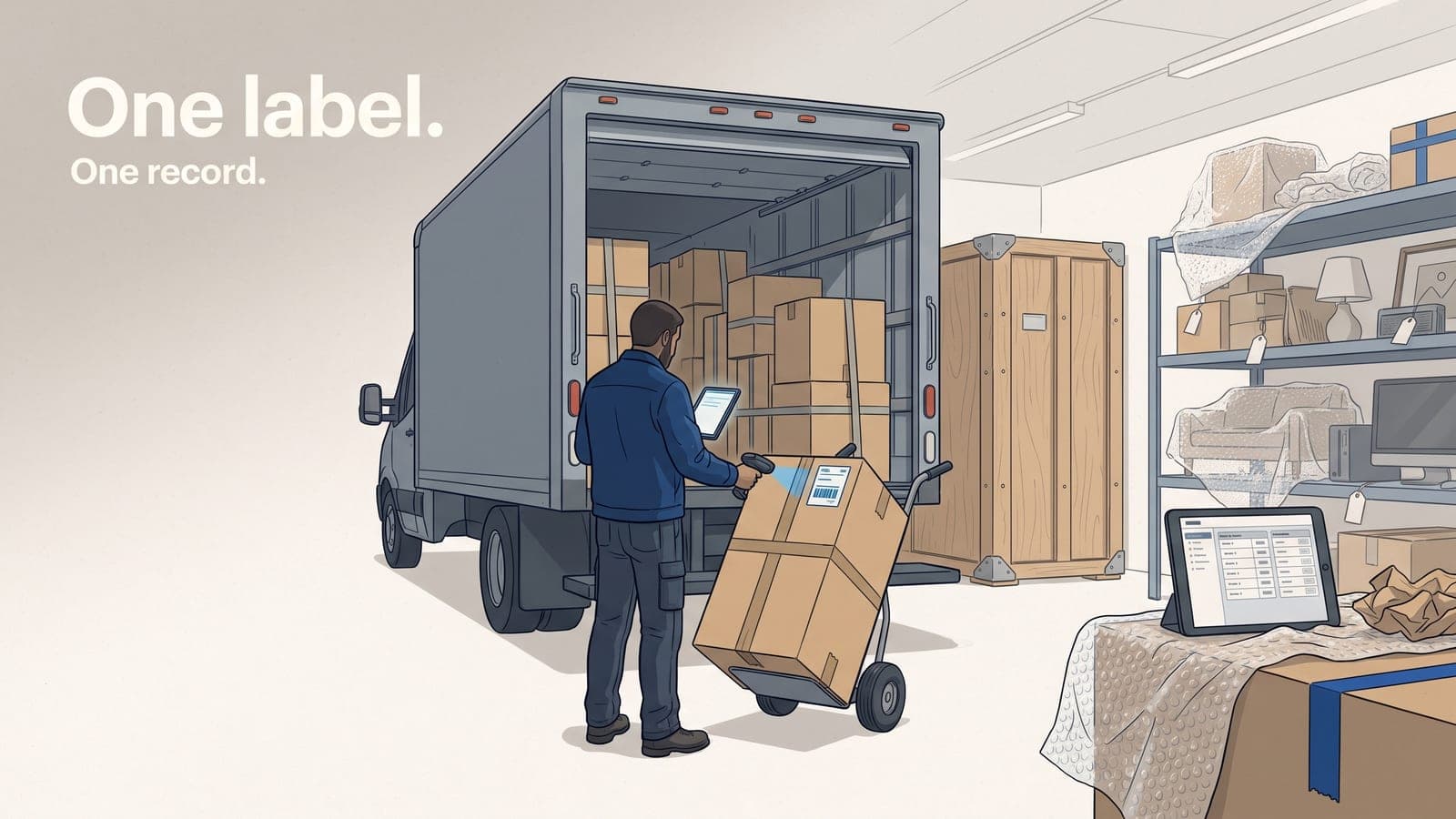
The fix is to make the label and the record the same act. You create the box record in your contents software, the system assigns the number, you print or scan the label, and the two are joined from that point forward. No second log to reconcile.
Pick your label format: number, QR, or barcode
There are three formats people reach for. They're not mutually exclusive, and the best setup usually uses more than one.
Plain numbered labels
A pre-printed sequential number is the floor. It's cheap, it's readable from across a warehouse aisle, and it survives a smudge of soot better than a QR code does. The catch is there's no data baked in. The number is only as good as the record it links to, and you can't pull that record without typing the number into something.
Use numbered labels as your human-readable backup, always. Even when you go digital, you want a number a tech can read out loud over the phone.
QR codes
A QR code is the workhorse for contents. A tech scans it with a phone, and the box's full record opens up: room of origin, item list, photos, condition notes, disposition. No typing, no looking it up. QR codes are forgiving about scan angle and partial damage, and any modern phone camera reads them, so you don't need special hardware. For most contents operations running a mobile app in the field, QR is the right default.
Barcodes
A traditional 1D barcode is the move if you're running a warehouse with a dedicated scanner gun and high box volume. Scanning is fast and the workflow is familiar to anyone who's worked logistics. The downside is barcodes carry less data, need a cleaner scan surface, and usually mean buying scanner hardware. Plenty of contents shops skip them entirely and live on QR.
| Format | Best for | Needs | Weak spot |
|---|---|---|---|
| Numbered label | Human-readable backup, phone reference | Nothing | No data, manual lookup |
| QR code | Field crews on phones, most pack-outs | Any phone camera | Needs a reasonably clean surface |
| Barcode | High-volume warehouse with scanner guns | Scanner hardware | Less data, fussier scans |
My recommendation for a typical contents operation: a single label that has the box number printed large and a QR code right next to it. You get the scan speed and the data of QR, plus a number you can read out loud when the camera won't cooperate or the customer is on the phone.
Build a numbering convention before you print a single label
This is where most shops go wrong. They start slapping labels on boxes without deciding what the numbers mean, and three jobs in, the scheme falls apart.
Keep your box numbers tied to the job, not to your whole company. A box number should be unique within the job and should never get reused. The cleanest pattern is job number plus a sequential box number, so a label reads something like J-1042 / Box 047. Now a stray box found on a warehouse floor tells you exactly which job it belongs to without scanning anything.
A few rules that save you pain later:
- Don't encode the room into the box number. Rooms change. A box packed in the master bedroom might hold items staged from the hallway. Put the room in the record, not the number. The number is just an identity.
- Number sequentially and never skip. Gaps are how you lose track of whether a box exists or was just never created.
- Let the system assign numbers. If a human picks numbers, you get duplicates. Auto-numbering off your job is the whole point of tying labels to software.
- Pre-print a roll, or print on demand. Pre-printed sequential rolls are fast at the truck. On-demand printing from the app guarantees the label matches a record that already exists. Either works; just be consistent.
The field workflow that keeps boxes and data married
Here's the loop that actually prevents lost boxes. It's simple, and the discipline is in doing it every single box.
- Create the box record first, or scan a pre-printed label to create it. The box exists in the system before it exists as a sealed cardboard cube.
- Add items to that box as you pack. Room, item, condition, photos. This is the room-by-room inventory work you're doing anyway. The box is just the container the items live in.
- Photograph the open box before you seal it. One overview shot of the packed contents, tied to the box record. When a carrier pushes back, that single photo answers most questions.
- Seal it and confirm the label is on it. Box number and QR visible, not under tape, not on the bottom.
- Scan at load-out and again at warehouse intake. Two scan points catch the box that fell off the inventory between the truck and the shelf.
The mobile app matters here because all of this happens with dirty hands in a damaged house, not back at a desk. If a tech has to remember details and key them in later, the details get lost or invented. Capture at the box, in the moment, on the phone.
Track location, not just identity
A box number tells you which box. A location tells you where it is right now. You need both.
When boxes hit the warehouse, scan them to a location: a rack, a bay, a vault number, a pallet ID. Now your system can answer the question that actually gets asked, which is "where is Box 47," instead of just confirming it exists. When the customer calls about the china, you scan or search the item, the box pops up, and the box tells you the shelf. Two minutes, not two hours.
The same location tracking pays off on the way out. As you stage boxes for cleaning, return, or disposition, you scan them to their new status and location. Nothing ships back to the customer that hasn't been accounted for, and nothing sits forgotten in a corner racking up storage you can't bill cleanly.
Reconciliation: the test that proves the system works
At the end of a job, you should be able to run a reconciliation in minutes. Total boxes created versus boxes scanned out versus boxes returned or disposed. Every box accounts for, every item accounts for. If a number is missing, you know immediately, while the job is fresh, not when the customer calls.
That clean reconciliation is also what makes the back office work. When box and item records are this tidy, your AI item pricing and your valuation reports come straight off the inventory, and your invoices reconcile to QuickBooks without somebody rebuilding the list by hand.
Don't overbuild it
You don't need a barcode gun and a vault management system to run a clean pack-out. Plenty of solid contents operations run entirely on phone-scanned QR labels with the box number printed alongside. Start there. Add scanner hardware only if your volume genuinely demands it.
The principle is the part that matters: one label, joined to one record, scanned at every handoff, with a location attached. Get that loop right and boxes stop disappearing.
Frequently asked questions
Why do lost boxes usually go missing at the warehouse, not the loss site?
Because receiving is where a box can get checked into the vault without being confirmed against the load manifest, creating a gap between what was packed and what's tracked.
How many times should a box be scanned during a job?
At minimum at load-out and again at warehouse intake — two scan points catch a box that fell off the inventory between the truck and the shelf.
What is a reconciliation report in contents work?
A count comparing boxes created versus boxes scanned out versus boxes returned or disposed, run at the end of a job to confirm every box and item is accounted for.
Why does box location tracking matter beyond just box identity?
A box number tells you which box exists; a location — a rack, bay, or vault number — tells you where it actually is right now, which is the question that gets asked when a customer calls.
How does box labeling connect to storage billing?
When box and item records are clean and location-tracked, storage duration and invoices — like those in Job Workflow PRO's contents module — reconcile straight off the inventory instead of being rebuilt by hand.
If you want to see how box-level inventory, QR labels, and the field app fit together, take a look at the contents module or start a free trial and run a test pack-out through it. Questions about setting up your numbering convention? Reach out at sales@jobworkflowpro.com and we'll talk through what fits your shop.