Room → Box → Item: Building a Contents Inventory That Scales
Quick answers
- What is the room-box-item hierarchy in contents inventory? It's a three-level structure — room tells you where an item came from, box tells you where it is now, and item records what it is, its condition, and its disposition.
- Should box numbers be restarted for each room in a pack-out? No — box numbers should stay flat and sequential across the whole job, because items can move between boxes and a room-coded number would then be inaccurate.
- When should items be batched into one inventory line vs. logged individually? Items with the same description, condition, and disposition can be batched into one line with a quantity; the moment condition or disposition differs, they need a separate line.
- Should high-value items ever be grouped with other items in an inventory? No — high-value items like jewelry, electronics, art, or collectibles should always stand alone with their own line, photos, and condition note.
- What proves a contents inventory hierarchy is working? Whether you can quickly answer how many boxes are on the job and where each one is, whether the item count matches the boxes packed, and what the disposition breakdown looks like.
The first pack-out you run, the structure doesn't matter much. Twenty boxes out of a two-bedroom, you can hold it in your head. But the day you're standing in a 4,000-square-foot fire loss with three techs, a full garage, and a customer who wants to know where their grandmother's china ended up, structure is the whole game. Get the hierarchy right and a big job stays navigable, reconciles cleanly to the claim, and survives an audit. Get it wrong and you spend the back half of the job untangling your own inventory instead of billing it.
This is how I think about a contents inventory structure that holds up when the job gets big.
Why hierarchy is the job, not paperwork
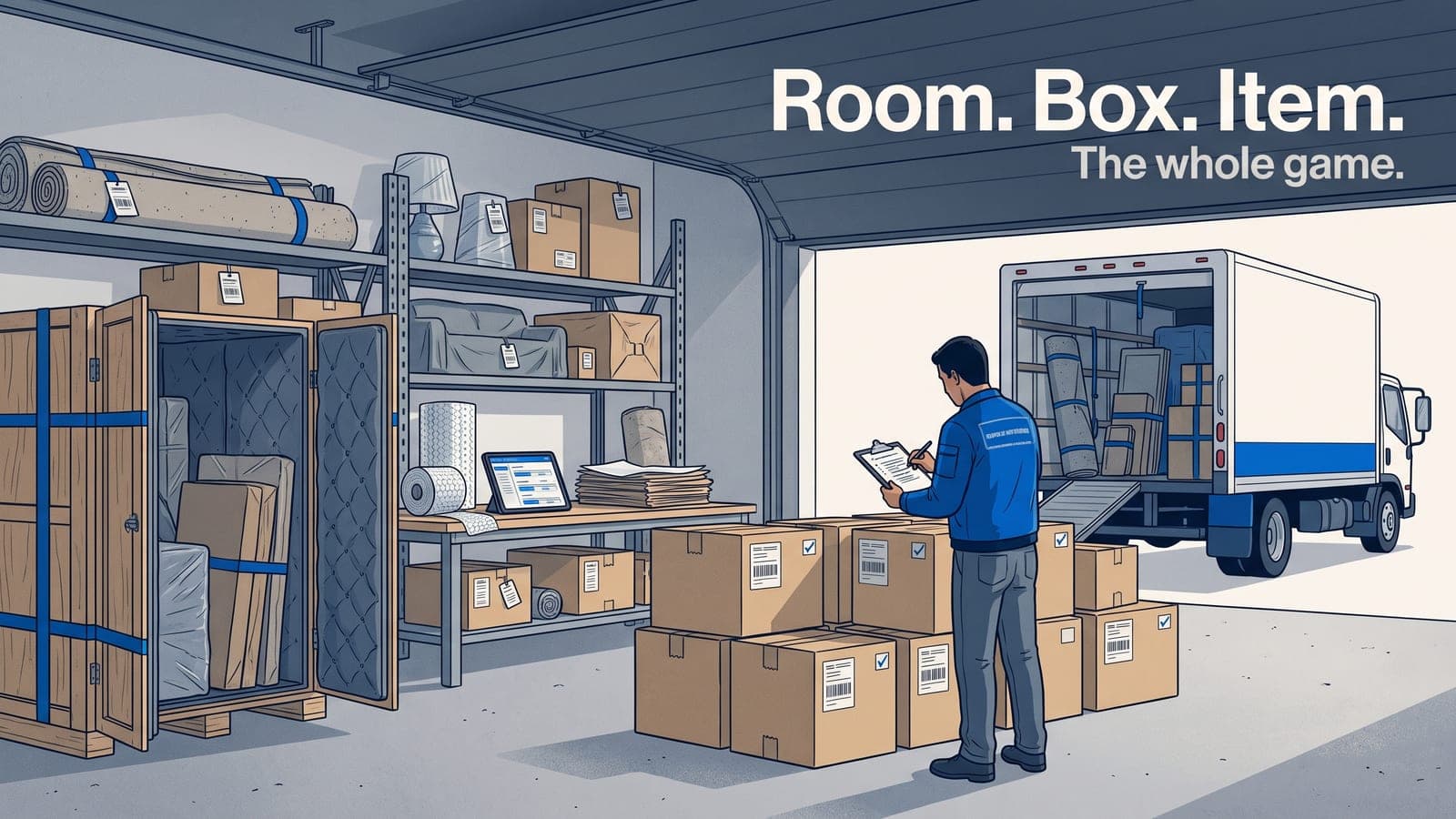
A contents inventory isn't a list. It's a tree. The right shape is room → box → item, and every level does a specific job.
- Room answers "where did this come from." It's your reconciliation anchor and the language the customer speaks.
- Box answers "where is it now." It's your physical unit of movement and storage.
- Item answers "what is it, what condition, what happens to it." It's what the carrier pays on.
When those three levels are clean and consistent, everything downstream gets easier: the customer approval, the disposition workflow, the chain of custody, the final settlement. When they're mushy, you get orphaned items, boxes nobody can locate, and a spreadsheet that doesn't add up to the estimate.
The mistake I see most is skipping a level. Techs photographing a pile of items with no box, or throwing everything into "Kitchen" with no boxes at all. It works until it doesn't, and it never scales.
Start with rooms the customer recognizes
Name rooms the way the homeowner would. Not "Zone 2." Master bedroom, kids' bedroom, kitchen, garage, hall closet. When you walk the loss with the adjuster or the customer later, you want them nodding along, not decoding your shorthand.
A few rules that pay off:
- One room per physical space, and be honest about closets. A walk-in closet with real contents deserves its own room. A junk drawer does not.
- Split rooms that are actually two rooms. "Basement" in a finished basement is three rooms: family room, storage, laundry. Lumping them costs you when you reconcile.
- Have a home for the homeless. Attic, garage overflow, that weird space under the stairs. Give it a real name so items don't float.
The room layer is also where your inventory ties back to scope. If your room-by-room contents inventory matches the rooms in your estimate and your moisture map, the whole file reads as one story instead of three disconnected documents.
Boxes are your unit of movement — number them once
The box is where most pack-outs get sloppy, because in the field a box is just a box. But the box number is the thing your entire chain of custody hangs on. Every box gets a unique number, assigned once, that never changes from the truck to the vault to the return.
Keep box numbering flat and sequential across the whole job. Box 1 through Box 214. Do not restart numbering per room, and do not build clever codes like MBR-01. Here's why: items move. A lamp from the master bedroom ends up in a box you packed in the hallway. If your box number encodes the room, you've now got a lie baked into the label. Let the room live at the item level and the location live at the box level, and cross-contamination stops being a problem.
What each box should carry:
- A unique, permanent number (auto-generated so two techs never collide).
- A current location — truck, vault bay, cleaning station, returned.
- A contents count so you can reconcile "boxes packed" against "items logged."
Barcodes make this bulletproof. Scan the box, scan it into the vault, scan it back onto the truck, and you've got a defensible movement history without anyone writing on a clipboard. If you're not there yet, the logic behind box labeling and barcode systems is worth reading before your next big loss, because retrofitting numbering mid-job is miserable.
Items are what the carrier pays on — so log them like it
Every item lives inside a box, belongs to a room, and carries the fields the settlement depends on:
- Description — specific enough to price. "Small appliance" is useless. "Cuisinart 14-cup food processor" gets paid.
- Condition — pre-loss and current. This is your restorable-vs-non-restorable call, documented.
- Disposition — clean and return, store, dispose, or non-restorable. This is the workflow that drives everything after.
- Photos — at least one, more for high-value or damaged items.
- Quantity — group identical items, but don't group things the carrier will want itemized.
The tension here is speed versus detail. You cannot hand-type a paragraph for every fork in a kitchen. This is exactly where good software earns its keep — auto-naming, generated descriptions, and metered AI item pricing for contents claims turn the item layer from the slowest part of the job into something a tech can actually keep up with. The structure makes the automation possible: because every item sits in a known box and room, the AI has context and your inventory stays reconcilable.
For the fields themselves and how to shoot them, the contents inventory checklist and the piece on photographing contents so the carrier doesn't push back go deeper than I can here.
The grouping decision: when to itemize, when to batch
The single most common scaling question is "do I log these 40 books individually?" The answer is disposition-driven.
- Items with the same description, condition, and disposition can batch. 40 paperbacks, all clean-and-return, all good condition — one line, quantity 40.
- The moment condition or disposition splits, so does the line. If 6 of those books are non-restorable smoke damage, that's a separate line with its own photos.
- High-value items always stand alone. Anything the carrier might scrutinize gets its own line, its own photos, its own condition note. Jewelry, electronics, art, collectibles.
Batching keeps a big job from ballooning into thousands of pointless lines. Splitting on disposition keeps your settlement honest. The structure lets you do both without contradiction.
Reconciliation: where structure proves itself
Here's the test of whether your hierarchy is any good: at any point in the job, can you answer these three questions in under a minute?
- How many boxes are on this job, and where is each one right now?
- Does the item count logged match the boxes packed?
- What's the disposition breakdown — how many return, store, dispose, non-restorable?
If room, box, and item are clean, those are three reports, not three days of digging. That reconciliation is also what turns a pile of photos into a file that survives review. The mechanics of making it audit-proof are covered in running a pack-out inventory that survives an audit and the chain of custody workflow, which both lean hard on exactly this structure.
And it flows straight into the money. When your item lines carry disposition and pricing, the contents portion of the estimate and invoice writes itself, and syncing that to your books without re-keying — the way QuickBooks Online sync should work — is the difference between billing a job and dreading it.
A quick sanity checklist before your next big pack-out
- Rooms named the way the customer would name them, matching your scope.
- Box numbers unique, sequential, permanent, and location-tracked — not room-coded.
- Every item lives in a box and a room. No orphans.
- Description specific enough to price. Condition and disposition on every line.
- Group by identical description + condition + disposition; split the moment any of those change.
- High-value items always stand alone with their own photos.
- You can reconcile boxes-to-items and pull a disposition breakdown on demand.
Nail those seven and the size of the loss stops mattering. A 200-box fire runs on the same rails as a 20-box water job — there's just more of it.
Build the structure into the tool, not your memory
The reason room → box → item works is that it's the natural shape of the job. The reason it breaks is that people try to hold it in a spreadsheet or their head. Put the hierarchy in software that enforces it — auto box numbers, items nested in boxes, dispositions and photos on every line, reconciliation reports one click away — and scaling stops being a stress point.
That's what the contents module in Job Workflow PRO is built to do: keep the biggest pack-out you'll ever run as navigable as your smallest.
Frequently asked questions
What's a common mistake when naming rooms in a large loss?
Skipping a level of organization — for example, lumping a finished basement into one "Basement" room when it's really three separate spaces like a family room, storage, and laundry.
Why shouldn't a box number encode the room it came from?
Because an item can end up in a box packed in a different room than where it originated, which would make a room-coded box number misleading.
What should be captured for every item in a room-box-item inventory?
Description, condition (pre-loss and current), disposition, at least one photo, and quantity.
Why does inventory hierarchy matter more on a large loss than a small one?
On a small job you can hold twenty boxes in your head; on a large loss with hundreds of boxes and multiple techs, only a consistent structure keeps the inventory navigable and reconcilable.
How does a clean room-box-item structure help with AI-assisted pricing?
Because every item sits in a known box and room, AI pricing tools have context to work with, which keeps the inventory both fast to build and reconcilable afterward.
If you want to see how it handles a real job, start a free trial and load a loss you've already closed — you'll know within an hour whether the structure holds up. Questions about setting up your hierarchy for the way your crew actually works? Email us at sales@jobworkflowpro.com and we'll talk it through.