Chain of Custody: A Contents Storage Workflow You Can Defend
Quick answers
- What is chain of custody in contents restoration? It's the ability to show, at any point, where an item is, who had it, and what happened to it, from the loss address through storage and back to the customer.
- Who is responsible for contents once they leave the loss site? The restoration company — once you take possession of a customer's belongings, you're the custodian and carry the burden of showing you handled them responsibly.
- What are the four handoffs where chain of custody typically breaks? Site to truck, truck to vault, inside the vault, and vault to return — each is a moment where accountability for a box can vanish if it isn't tracked.
- Does a customer need to sign when contents are returned? Yes — a signature at the door on return is what closes the custody loop; without it, custody isn't considered closed.
- Why does chain of custody matter for storage billing? If boxes are tied to a job and a date throughout their time in storage, the storage duration — and the invoice for it — matches reality instead of being disputed.
Every contents job is fine until it isn't. The pack-out goes smooth, the inventory looks clean, and then six weeks later the homeowner calls and says a watch is missing, or the adjuster wants to know why you're billing storage on 180 boxes when the scope says 140. Now you're digging through text messages and a warehouse full of unlabeled totes trying to prove a negative. That's the moment chain of custody either saves you or sinks you.
Chain of custody just means you can show, at any point, where an item is, who had it, and what happened to it — from the loss address, through your contents vault, back to the customer. It's the boring paperwork nobody thinks about until a claim is disputed. Then it's the only thing that matters.
Here's how to build a contents storage workflow that actually holds up.
Why chain of custody is your problem, not the carrier's
When contents leave the loss site, you took possession of somebody's belongings. Legally and practically, you're the custodian. If something goes wrong — loss, damage, a theft accusation — the burden lands on you to show you handled it responsibly. The carrier isn't going to defend you. The homeowner's memory of what they owned tends to get more expensive over time.
A defensible workflow protects you three ways:
- Against theft or loss claims. "You lost my grandmother's ring" is a lot harder to make stick when you can pull the box it was inventoried in, the photo, the condition note, and the signature confirming it went back.
- Against billing pushback. Storage gets disputed constantly. If you can't tie every box to a job and a date, the adjuster will shave your storage line and you'll eat it.
- Against your own crew turnover. The tech who packed the master bedroom in March is gone by June. Your system has to remember what he did.
If you're still deciding whether a load even needs to leave the site, that's a separate call worth making deliberately — we walk through it in pack-out vs. clean-in-place. This post assumes you've decided to pack out and store.
Custody starts at the scene, not the warehouse
The single biggest mistake shops make is treating the vault as where tracking begins. By the time a box hits your shelf, the custody trail is already half cold. It starts the moment you touch an item on site.
At the loss address, every item or box needs three things captured before it moves:
- What it is — a real inventory entry, room-tagged, with a photo.
- What condition it's in — pre-existing damage documented, because that ring was already scratched when you got there.
- Where it's going — box number, disposition (restore, store, dispose, non-restorable).
Photograph it right the first time. Bad photos are the number one reason carriers push back on contents, and re-shooting from the vault means you've already lost the "as found" condition. If your photo game is loose, tighten it up using this approach to photographing contents. And if you want a repeatable room-by-room rhythm your techs can actually follow, the field tech's inventory checklist is built for exactly this.
The point: the inventory record and the custody record are the same record. Don't build them twice.
The four handoffs where custody breaks
Trace a typical box and you'll find four moments where accountability can vanish. Nail these and you've covered ninety percent of your risk.
1. Site to truck
Who loaded it, when, and does the box count match what got inventoried? A quick load manifest — 142 boxes, 6 large items, loaded by [tech], [date] — closes the gap between "what we packed" and "what left the property."
2. Truck to vault
Receiving is where boxes go feral. If a box gets checked into your contents vault without confirming it against the manifest, you've created a hole. Every box should be scanned or logged in on arrival, assigned a location, and matched to the job. A missing box discovered at receiving is a manageable problem. The same box discovered at return is a lawsuit.
3. Inside the vault
Storage isn't static. Boxes get pulled for cleaning, restored, moved between racks, photographed again for the customer. Each of those is a custody event. You need to know that box 87 went to the ultrasonic line on the 12th and came back on the 14th, and who moved it.
4. Vault to return
The delivery back to the homeowner is your last chance to close the loop. Every box out, checked against the original inventory, and a signature at the door. No signature, no closed custody. This is also where disposal has to be airtight — if an item was ruled non-restorable and pitched, you'd better have the approval on file. Making that call defensibly is its own discipline; see restorable vs. non-restorable.
Barcodes and box IDs do the heavy lifting
You can run all of this on paper. People have for decades. But paper doesn't survive an audit gracefully, and it doesn't scale past a few jobs in the vault at once.
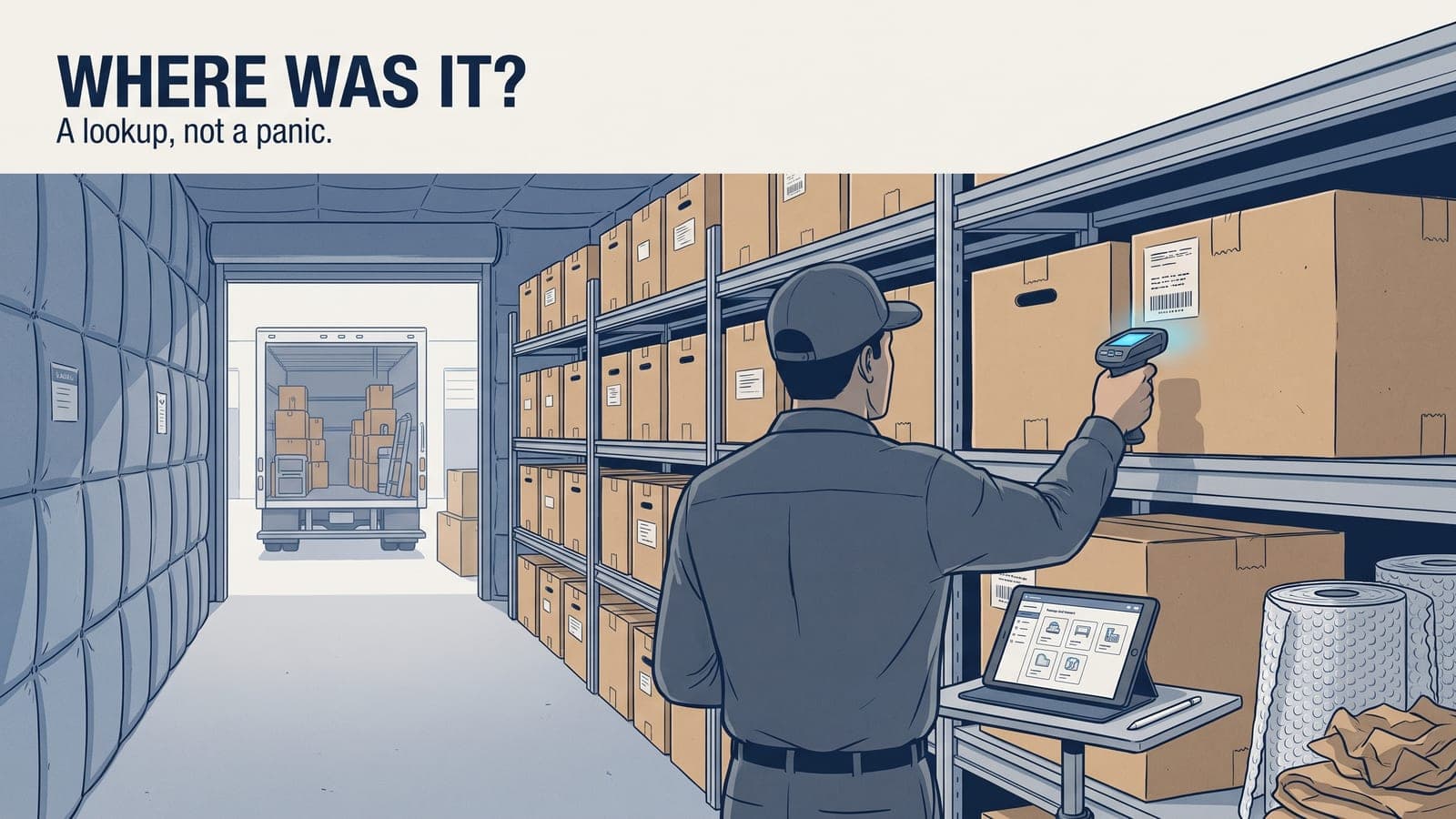
The upgrade that changes everything is a unique ID on every box and a scan at every handoff. Scan on load, scan on receiving, scan on location assignment, scan on return. Each scan is a timestamped, tech-stamped custody event that builds itself. No one is writing box numbers on a clipboard in the rain. We get into the mechanics of this in box labeling and barcode systems, but the principle is simple: the label is the item's identity for its entire time in your possession.
When a box has a stable ID tied to a job, its inventory, its photos, its location, and its scan history, "prove where this was on April 3rd" stops being a panic and becomes a lookup.
What a defensible record actually contains
When a claim gets disputed, here's what you want to be able to produce for any single item, in under a minute:
- The item description and the room it came from
- Photos as found, with visible condition
- Its box number and current location in the vault
- Disposition and any approval attached to it
- The full timeline: packed, loaded, received, moved, returned — with names and dates
- The customer signature on the work authorization and on the return
That's the difference between a defensible file and a pile of evidence. One tells a story a claims examiner can follow. The other makes you look like you're hiding something even when you're not.
This is also why storage billing needs to ride on the same record. If your boxes are tied to a job and a date, your storage duration calculates itself and your invoice matches reality. Loose tracking is where storage revenue quietly leaks — and where the audit-proof pack-out inventory mindset pays for itself.
Put it on one system, not five
The reason chain of custody falls apart in most shops isn't laziness. It's that the inventory lives in one app, the photos on a phone, the storage log on a whiteboard, the authorization in an email, and the billing in QuickBooks. Nothing reconciles, so nobody trusts it, so nobody keeps it current.
The fix is to run the whole custody trail on one record per item, from scene to return. That's what the contents module in Job Workflow PRO is built to do: room/box/item inventory with photos, condition and disposition workflows, customer approvals, and the scan-based tracking that timestamps every handoff. It rides on the same job that carries your notes, documents, and QuickBooks sync, so your storage billing and your custody record are never two different truths. The AI handles the busywork — auto-naming, descriptions, and item pricing — so your techs spend their time verifying custody, not typing.
Build the trail once, at the moment you touch the item, and let the system carry it. When the disputed call comes — and it will — you answer it with a record instead of an apology.
Frequently asked questions
What should be documented about an item's condition before it's packed?
Any pre-existing damage, noted and photographed before the item is moved, so it can't later be attributed to your handling.
What's the risk of not confirming boxes against a manifest at the warehouse?
A box that isn't scanned or logged against the load manifest on arrival creates a gap that's a manageable problem to catch early but a serious one if it's only discovered at return.
Does moving a box within the warehouse count as a custody event?
Yes — any movement, like pulling a box for cleaning or shifting it between racks, should be logged with who moved it and when.
What has to be on file before a non-restorable item is disposed of?
A documented approval — without it, disposal is a gap in the custody trail that can turn into a dispute.
How does barcode scanning support chain of custody?
A unique ID scanned at every handoff — load, receiving, location, return — builds a timestamped custody history automatically instead of relying on handwritten logs.
Want to see how it handles a real pack-out and vault workflow? Start a free trial, or email us at sales@jobworkflowpro.com and we'll walk your process with you.