Get the Work Authorization Signed on Day One
Quick answers
- What is a restoration work authorization? It's the document a property owner signs authorizing you to perform emergency mitigation and repair work, and (usually) directing insurance payment to you.
- Why sign the work authorization on day one? Because the moment you start pulling water or contents without a signed authorization to perform work, you're doing free labor with no legal footing to collect.
- Can you e-sign a work authorization on site? Yes. A tech can capture a work authorization e-sign on a phone or tablet at the loss, and the signed PDF lands in the job record instantly.
- What should a work authorization include? Scope of authorized work, payment and assignment-of-benefits language, claim details if known, and a dated signature from the property owner.
- Is a same-day signed contract legally binding? A properly worded e-signed authorization carries the same weight as ink on paper in almost every U.S. jurisdiction.
Every restoration owner has lived this one. You get the call at 9 p.m., roll a crew, pull three air movers and a dehu into a flooded basement, and start extracting. Two weeks later the homeowner goes quiet, the adjuster wants paperwork you never got signed, and now you're chasing a signature for work that's already done. The leverage is gone. You did the job first and asked permission after.
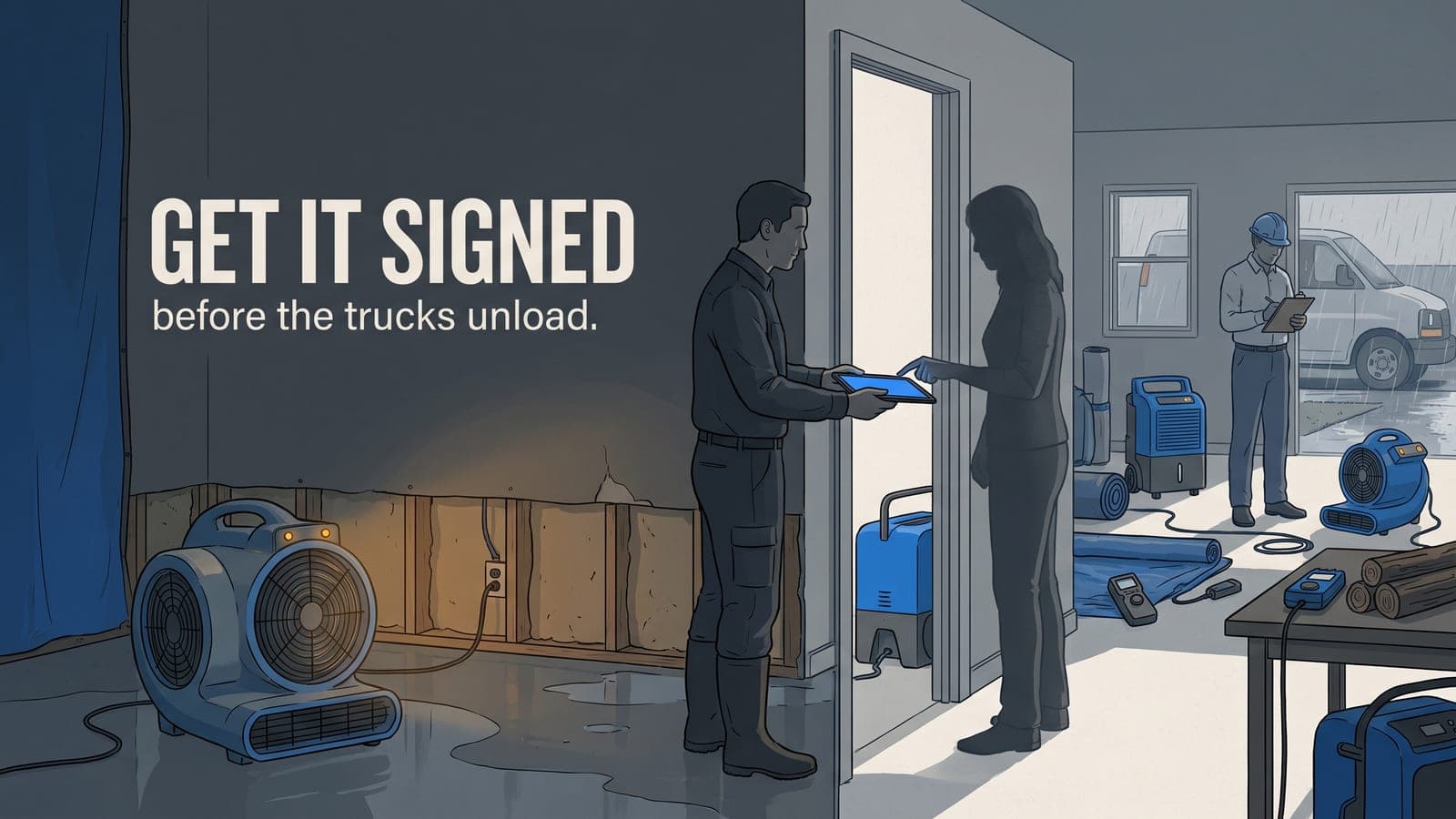
The fix is boring and it works: get the authorization to perform work signed before the first piece of equipment comes off the truck. Same day. Every time. On construction jobs the stakes are slower but the principle is identical — no signed authorization, no billable work.
Why day one is the only day that matters
On a water loss you have the most leverage you'll ever have in the first hour. The customer is standing in an emergency, they want help now, and you're the person offering it. That's exactly when a restoration work authorization gets signed without friction. Wait a day and the panic fades, the brother-in-law who "knows insurance" shows up, and suddenly your paperwork is a negotiation.
The signed authorization is what turns your labor into a collectible receivable. Without it you have equipment on someone's property and a verbal "yeah, go ahead" that means nothing when the invoice is disputed. With it you have a dated, owner-signed document tying your scope to a claim — the same document that backs up your insurance job tracking with claim number, carrier, and adjuster when the file gets audited.
Construction is a longer runway but the trap is the same. Start demo or framing on a handshake and a verbal change, and you've built yourself a payment fight. The e-sign habit that stops you chasing paper on day one is what keeps GCs out of that hole too.
What actually goes in a work authorization
Templates vary by state and by whether you're doing mitigation or reconstruction, but a work authorization that holds up covers a few things every time:
- Authorized scope. What the customer is agreeing to let you do — emergency mitigation, drying, contents pack-out, or a defined repair scope. Vague scope is a dispute waiting to happen.
- Payment terms and assignment. How you get paid, and whether benefits are assigned or the owner is directing payment to you. This is the clause that saves the job.
- Claim details when you have them. Carrier, claim number, and adjuster if the loss is insured. On day one you often don't have all of it, and that's fine — capture what you can and fill the rest into the job record as it comes in.
- A dated signature. Owner or authorized agent, with a timestamp. On an e-signed doc the timestamp is captured automatically.
Keep the language plain. A homeowner standing in two inches of water is not going to read four pages of legalese, and a document they didn't understand is easier to challenge later.
Paper on site is where signatures go to die
The reason authorizations don't get signed on day one usually isn't the customer. It's the process. The tech doesn't have the current template. The printer in the truck is out of toner. The form gets signed but photographed crooked and never makes it off the phone into the job file. By the time the office notices it's missing, the customer is three days cold.
E-sign kills every one of those failure points. The template lives on the device, the tech pulls it up in front of the customer, they sign with a finger, and the completed PDF attaches to the job automatically. No scanner, no "I'll email it tomorrow," no lost paper. When you run the job profitability report later, the authorization is already sitting in the record where it belongs.
That's the whole point of doing work authorization e-sign in the field instead of back at the office: the signature happens while you still have the room.
Build your templates once
The move is to build your standard documents once and reuse them. A mitigation authorization, a contents pack-out authorization, a construction contract or work order — set them up, put them on every tech's device, and stop reinventing paperwork on every job. When the scope is standard the signature is a thirty-second event, not a project.
For restoration crews that pack out belongings, the authorization is also the front door to your chain-of-custody workflow — you can't defensibly move a customer's contents to your facility without documented permission to do it.
Try it free: your first three templates
If you want to see whether same-day signed contracts change how fast you get paid, we made it easy to test without committing anything. On Job Workflow PRO your first three e-sign templates are free — build your mitigation work authorization, your contents pack-out auth, and your construction work order, put them on your techs' devices, and start capturing signatures on the next job.
That covers the documents most shops send on nearly every job. If you grow past three templates the pricing page lays out what e-sign adds, with no surprise per-signature nickel-and-diming. The goal is simple: make the signed authorization the first thing that happens on a job, not the thing you're chasing at the end.
Whether you're running water losses on the restoration side or clean construction jobs without the insurance clutter, the discipline is the same. Get it signed, get it in the record, get to work.
Frequently asked questions
What if the property owner isn't on site when we arrive?
Send the authorization for remote e-sign. A texted or emailed signing link lets an owner sign from anywhere, so you're not stuck waiting for them to drive over. Just confirm the person signing has authority to authorize work on the property.
Does an e-signed work authorization satisfy insurance carriers?
Yes. Carriers accept e-signed authorizations the same as wet-ink documents, and the automatic timestamp and audit trail on a digital signature are often stronger evidence than a photographed paper form. Keep the signed PDF in the job file so it's ready when the adjuster asks.
Can we require a deposit or credit card at the same time as the authorization?
That's a business policy choice, not a legal requirement. Many shops collect a card on file or a deposit as part of the same day-one conversation, and the authorization is the natural moment to do it since the customer is already committing to the work.
How is a work authorization different from an estimate?
The authorization is permission and payment terms — it says you're allowed to work and how you'll be paid. The estimate is the dollar scope. On emergency mitigation you often sign the authorization before the full estimate exists, because drying can't wait for a line-item bid.
What happens if the scope changes after the authorization is signed?
You document the change and get sign-off on it, the same way you got sign-off on day one. Scope creep without a signed change is how margin disappears, so treat every material change as its own small authorization.
Want to make the signed authorization the first thing that happens on every job? Start a free trial and build your first three e-sign templates at no cost, or email us at sales@jobworkflowpro.com with questions about your workflow. No pressure — try it on your next loss and see if you get paid faster.